One of common way of deploying Azure resources is via ARM templates. ARM templates are help us to achieve an infrastructure-as-code solution for Azure deployments and give control of operations team. The ARM template processing of resources is in a declarative manner. This means that the desired state of the resources is defined in the template, and the ARM service ensures that the resources are created and configured to match that state.
ARM templates are complex when it comes to troubleshooting and testing as it takes lot of time. If you have ever received below error and ARM templates are huge, then it will a nightmare. Of the way to look at increasing performance of ARM deployments by removing unnecessary elements in the templates.
One of such issues i was struggling was with below errors.
{
  "error": {
    "code": "ServerClosedRequest",
    "message": "An internal server error was encountered while processing request for 'Microsoft.ApiManagement'. Please try your request again later."
  }
}

{
  "error": {
    "code": "ManagementApiRequestFailed",
    "message": "Failed to connect to management endpoint xxxx.management.azure-api.net:3443 for Developer SKU service which will have inherent downtime during underneath platform upgrades. Please refer to SLA at https://aka.ms/apimsla and considering upgrading to a SKU Tier with higher SLA."
  }
}
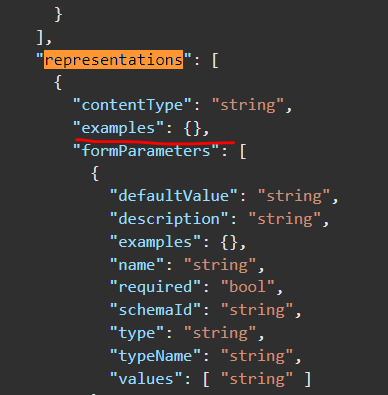
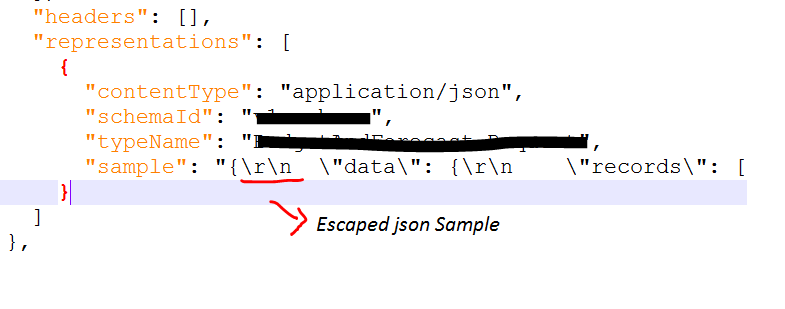
Root cause of this issue was with the node marked with “examples”. It contains unescaped/unwrapped json examples. I had to remove these examples and add to “sample” node as wrapped and escaped
I hope this was a similar or exact issue you faced and help you to resolve it. If you have further question or want to share similar issue, please comment
 Techy Chalkboard in bits and pieces