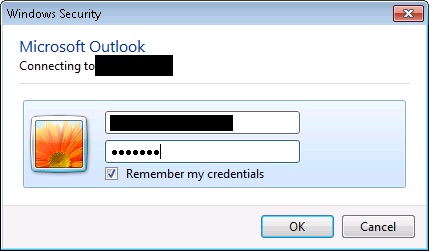
Issue: when u configure the outlook email box, the credentials window keeps popping up again and again even after the correct credentials is entered
Resolution:
1) Clear vault in the credentials manager ( ***IMPORTANT*** make sure you take a backup and screenshot of the server details in credentials manager)
2) Repair install the office to this resolves the issue some times. Also try installing service pack
3) This resolution step worked for me. Create new profile in the email, and re-configure the mail box. If this doesn’t resolves the issue, then add the windows credentials manually for your email exchange server. You can get exchanger server info that needs to be added in credential manager either by capturing network packets using tools such as Wire-Shark or fiddler (OR you can also get server details from the backup screen shot from step 1 if you are configuring outlook for 2nd time)

4) You also uncheck the proxy, if it is checked. This causes the error message as
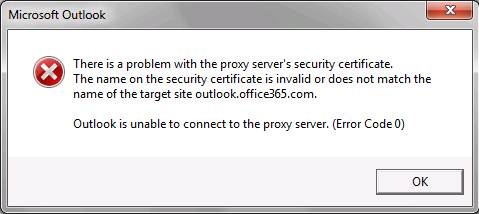

There is not specific solutions for this issue which worked for me right away. I had to struggle for some 2 days to get it worked. Any of the above solutions can work for you. Please comment if you have any specific/above solution worked for you.
Good Day!
-Manju
 Techy Chalkboard in bits and pieces